
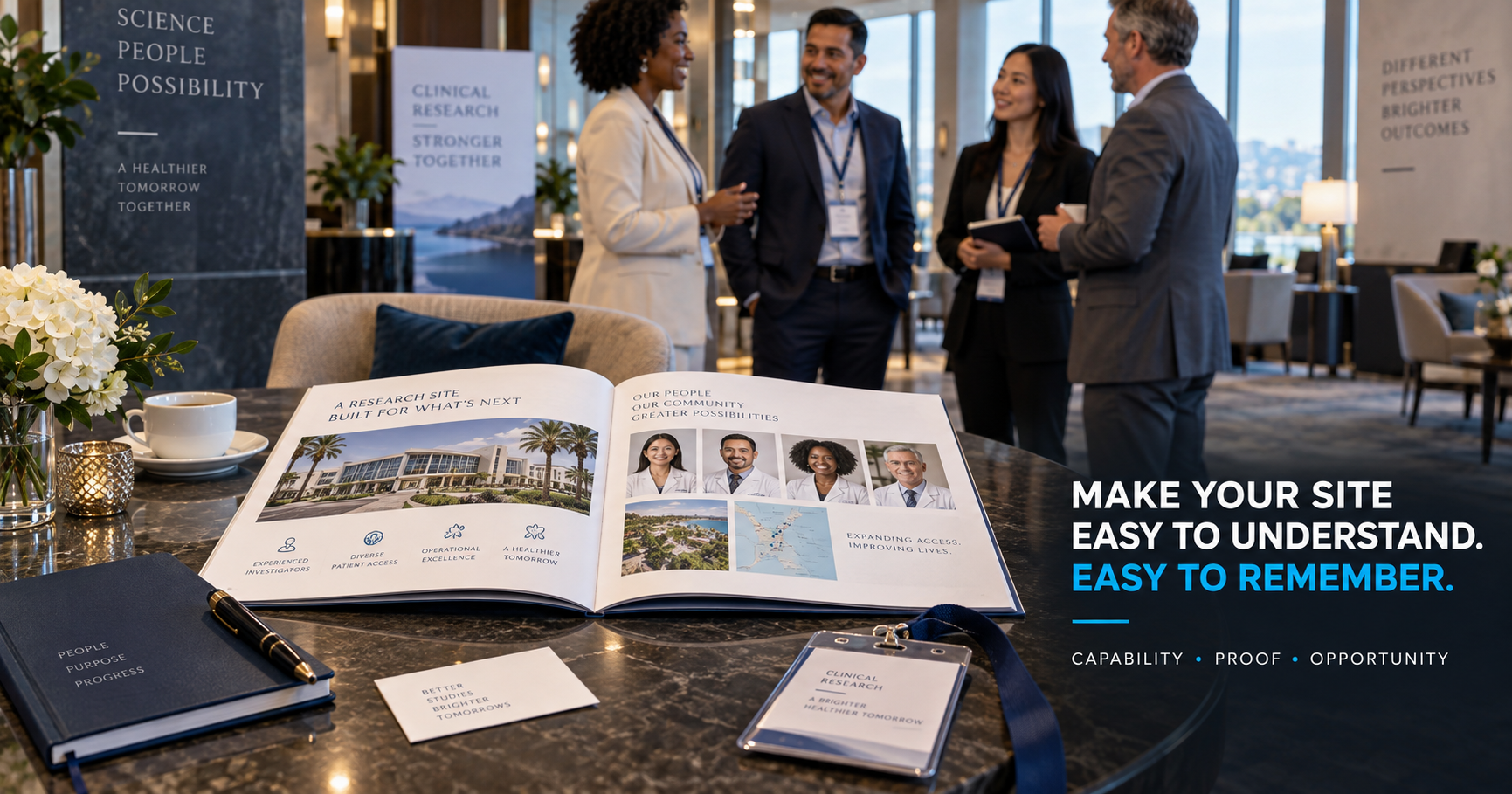
A Clinical Research Site capabilities deck has one job: make the Site easy to understand and worth evaluating further. It is not supposed to tell the complete history of the organization. It is not a regulatory binder. It is not a 40-slide corporate presentation. And it should not require a CRO to spend fifteen minutes searching for the information that actually matters.
A strong capabilities deck allows a Sponsor or CRO to quickly understand who the Site is, where it operates, which therapeutic areas it knows, who its investigators are, which populations it can reach, how it recruits, whether it has the operational infrastructure to execute, and who to contact next. The best decks reduce uncertainty. That is what makes them useful in business development.
The Deck Is Not the Site
This distinction matters. A polished deck cannot compensate for weak recruitment, inexperienced investigators, poor communication, inadequate infrastructure, or unrealistic enrollment forecasts. The deck’s job is to communicate real capability, not manufacture it. A capabilities presentation should therefore be built after the Site understands its actual strengths.
What the Reader Wants to Know
A Research Site often builds a deck from its own perspective. It starts with Our History, then Our Mission, then Our Values, then Our Leadership Team. Ten slides later, the CRO still does not know whether the Site can recruit the Study.
The better approach is to build from the reader’s perspective. The Sponsor or CRO is trying to answer seven questions:
- Is this Site relevant to our Study?
- Does it have the right investigator?
- Can it access the right patient population?
- Can it recruit?
- Can it execute operationally?
- Has it performed before?
- How do we start a conversation?
Your deck should make those answers easy to find.
Keep the Deck Short
A capabilities deck does not need to contain everything the Site knows. For an introductory version, roughly 8–12 strong slides is often more useful than an oversized presentation. The purpose is to earn the next conversation. Detailed feasibility information can come later.
A Practical 10-Slide Structure
A strong Site deck can often be organized around ten sections:
- Site positioning — who are you?
- Locations and geographic reach — where do you operate?
- Therapeutic areas — what do you know best?
- Investigators — who conducts the research?
- Patient population — who can you realistically access?
- Recruitment capabilities — how do you reach participants?
- Operational infrastructure — can you execute the Study?
- Technology and workflow — how do you support performance?
- Study experience and performance — what evidence supports your capabilities?
- Business-development contact — what should the reader do next?
That is enough to create a strong first impression.
Slide 1: Make the Positioning Clear Immediately
The cover should do more than display a company name. It should communicate what kind of Research Site you are. For example: “Independent Clinical Research Site — CNS • Metabolic • Gastroenterology — Bilingual Participant Recruitment | South Florida.” The reader understands the Site before opening slide two. Avoid vague cover slogans as the primary message. Something like “Advancing Medicine. Changing Lives.” may support branding, but it does not communicate capabilities. Our guide to how Research Sites can differentiate themselves covers how to build a position that is specific and defensible.
Slide 2: Show Locations and Geographic Reach
Location matters because participant recruitment is geographic. Show the city, state, Site addresses where appropriate, surrounding markets, and multiple locations if applicable. A simple map can be powerful. If the Site serves a larger regional market, show realistic geographic reach rather than merely placing a pin on a state map. Potentially useful information includes nearby metropolitan areas, drive-time catchments, and participant population clusters. Keep it visual.
Slide 3: Prioritize Therapeutic Areas
Do not create a slide listing 18 therapeutic areas if the Site has meaningful experience in only five. Highlight the strongest areas. For example, list CNS, endocrinology, and gastroenterology under Core Expertise, and vaccines and women’s health under Additional Experience. That distinction helps the reader understand where the Site is strongest.
Therapeutic Expertise Should Be Defensible
If you position the Site around a therapeutic area, you should be able to support it through some combination of investigator specialty, previous Studies, patient population, staff experience, and referral network. Marketing should not turn occasional experience into specialization.
Slide 4: Investigators Need More Than Headshots
A wall of physician photographs is visually attractive but not sufficient. For each principal investigator, consider presenting the name, specialty, credentials, relevant research experience, and therapeutic focus. Keep biographies concise. A Sponsor does not need an entire CV inside the deck. The purpose is to communicate why the investigator fits the Site’s positioning.
Show Investigator Depth When It Exists
If the Site has multiple investigators, organize them meaningfully. For example, group them by therapeutic area: under CNS, Dr. A (Neurology) and Dr. B (Psychiatry); under Metabolic, Dr. C (Endocrinology). That is more useful than an alphabetical list.
Slide 5: Patient Population Should Be Credible
This is one of the most important slides. Avoid statements such as “Access to 100,000 patients” without explanation. A CRO may immediately ask: access how? Better information explains the population sources — investigator practices, the Site database, referral networks, community relationships, healthcare partners, and digital recruitment. Patient population is more credible when the mechanism is visible.
Database Size Is Not the Same as Recruitment Capacity
A Site may have 30,000 contacts. But how many are current, reachable, relevant, permissioned for communication, and geographically accessible? Do not let one large number become the entire patient-access story. Explain the system.
Demographic Strength Can Matter
Where relevant and accurate, the Site may highlight population characteristics such as a bilingual English/Spanish population, older-adult access, a diverse metropolitan population, rural reach, or specialty referrals. These can become differentiators when they align with Study needs.
Slide 6: Explain Recruitment Infrastructure
This slide is often more valuable than Sites realize. Instead of “Strong Recruitment Capabilities,” show how recruitment actually happens: digital advertising, a participant database, physician referrals, community outreach, bilingual recruitment, and pre-screening and follow-up. This demonstrates redundancy and infrastructure.
Show the Participant Funnel Simply
A concise graphic can show Awareness → Inquiry → Pre-Screen → Referral → Site Screening. This communicates that the Site has a process. Do not turn the capabilities deck into a recruitment-technology presentation. One clean diagram is enough.
Slide 7: Operational Infrastructure
Sponsors need confidence that the Site can execute. Depending on the organization, relevant information may include exam rooms, laboratory, pharmacy capabilities, temperature-controlled storage, centrifuge, ECG, infusion capacity, diagnostic equipment, regulatory support, and the coordinator team. Only include what is actually relevant.
Avoid the Equipment Dump
A capabilities slide containing 47 pieces of equipment becomes unreadable. Group them. For example, under Clinical: exam rooms, ECG, vital-sign monitoring. Under Laboratory: centrifuge, sample processing, controlled storage. Under Investigational Product: secure storage and temperature monitoring. Details can be provided during feasibility.
Show Staff Capacity
Site infrastructure includes people. Consider highlighting coordinators, recruiters, regulatory personnel, laboratory staff, and Site management. Sponsors need to understand that the investigator is supported by an operating team.
Slide 8: Technology Should Explain Capability
Do not create a wall of software logos. Instead, explain what technology allows the Site to do. A recruitment CRM tracks participant inquiries and follow-up. Digital pre-screening organizes preliminary recruitment information. Centralized reporting measures recruitment sources and Site outcomes. Participant communication tools support structured follow-up and reminders. Outcome matters more than software brand.
Technology Should Reduce Risk
For a Sponsor, the interesting question is not “Does this Site use modern software?” It is “Does the technology make this Site more reliable?” Show operational value.
Slide 9: Study Experience
This section can be very powerful. Possible information includes the number of Studies conducted, Study phases, therapeutic experience, and Sponsor/CRO experience. Keep it accurate and current.
Performance Is Stronger Than Volume
If verified data are available, consider performance indicators such as enrollment against target, recruitment velocity, time to first participant, and retention. But only use reliable numbers. Never invent benchmarks to make the deck look stronger.
Use Recent, Relevant Examples
Ten years of total Study history may be less persuasive than recent experience in the therapeutic area being discussed. Prioritize relevance over quantity.
Avoid Confidential Information
Do not disclose confidential Sponsor information, Study-specific data, or proprietary protocol details without appropriate permission. Capabilities should demonstrate experience without violating confidentiality.
Slide 10: Make the Next Step Obvious
The final slide should not end with “Thank You.” It should make contact easy. Include a Business Development contact with name, email, phone where appropriate, and website. An optional call to action is “Send us your next feasibility opportunity.” The reader should know exactly what happens next.
Create a Dedicated Feasibility Contact
Do not use a general info@ address as the only business-development path if possible. A dedicated contact communicates accountability. Examples include businessdevelopment@, feasibility@, or a named business-development contact.
Design Matters — but Restraint Matters More
The deck should look professional. That usually means a clean layout, consistent typography, strong photography, enough whitespace, simple charts, and readable text. It does not require excessive animations, dense infographics, tiny text, or dozens of icons. Good B2B design reduces cognitive load.
Use Real Site Photography
Whenever possible, show the facility, staff, investigators, reception, and clinical areas. Real photography can create substantial credibility. If a Sponsor is evaluating a physical Site, seeing the actual environment adds value.
Avoid Stock-Photo Overload
A capabilities deck filled with generic doctors, random laboratories, and staged patients can make the Site look less authentic. Stock images can support visual design. They should not replace evidence of the real organization.
Make Every Slide Answer a Question
A useful test is to check that each slide answers one question: who are you, where are you, what do you specialize in, who are your investigators, which patients can you reach, how do you recruit, can you execute, how are operations supported, what have you done, and how do we contact you? If a slide does not answer a meaningful question, ask whether it belongs.
Keep Evergreen and Protocol-Specific Information Separate
Your general capabilities deck should remain reusable. Do not fill it with details that only apply to one protocol. Use the deck for evergreen Site capabilities. Then create Study-specific material if needed for feasibility, therapeutic campaigns, or particular Sponsor opportunities. This reduces maintenance.
Build Therapeutic Versions When Useful
A Site with multiple strong therapeutic areas might create a core corporate deck with general Site capabilities, a CNS deck with CNS investigators, Study history, and population, and a metabolic deck with endocrinology expertise, diabetes population, and recruitment. This can make targeted outreach much stronger.
Do Not Send Every Version to Everyone
Match the deck to the opportunity. A CNS CRO does not need fifteen slides about unrelated dermatology capability. Relevance makes the Site easier to evaluate.
Use the Deck Across the Business-Development Funnel
The capabilities deck can support several stages: cold outreach (as an optional attachment or link), CRO introductions (as follow-up after an initial conversation), conferences (as meeting support), feasibility (as context for the Site), and investigator outreach (as a Site overview). One asset can support several stages — our article on business development for Clinical Research Sites covers how those stages fit together.
PDF Is Usually the Best Distribution Format
The working file might live in PowerPoint, Google Slides, or another design platform. But external distribution is often easiest as a PDF because it preserves layout, opens widely, is easy to email, and reduces accidental editing. Keep file size reasonable.
Give the File a Professional Name
Avoid names like FINAL_DECK_NEW_V7_LAST_VERSION.pdf. Use something like Research-Site-Name-Capabilities-2026.pdf. Simple file discipline improves professionalism.
Update the Deck Regularly
Capabilities decks become outdated quickly. Review at least when investigators change, the Site opens a new location, new therapeutic expertise develops, technology changes, performance data improves, or contact information changes. An old capabilities deck can be worse than no deck.
Create an Internal Owner
Someone should own the master deck. Otherwise different business-development team members may circulate old investigator lists, outdated addresses, and different enrollment claims. One master source reduces inconsistency.
The Deck and Website Should Match
If the deck says 3 locations and the website says 2, credibility suffers. Keep the deck, website, LinkedIn page, and feasibility profile aligned. Our article on building a strong digital presence for a Clinical Research Site covers how to keep the website telling the same story.
The Deck Should Support — Not Replace — Feasibility
The capabilities deck is an introduction. Feasibility answers “Can this Site execute this specific protocol?” The deck answers “Is this Site worth evaluating further?” Keep those roles separate. For a closer look at how Sponsors and CROs run that evaluation, see our article on marketing a Research Site to Sponsors and CROs.
Common Capabilities Deck Mistakes
Eight mistakes show up repeatedly:
- Too much company history. The CRO needs capabilities, not a corporate autobiography.
- Generic claims. “World-class research” communicates little.
- No recruitment detail. Recruitment is one of the Site’s most important capabilities.
- Huge database claims without context. Explain patient access.
- Too much text. Executives scan.
- No performance evidence. Capabilities become more credible when supported.
- No call to action. The deck should create a next step.
- Outdated information. Maintain it.
A Simple Rule for Every Slide
Use this test: Claim + Evidence + Relevance. For example, the claim is bilingual recruitment capability. The evidence is a Spanish recruitment team and localized participant workflows. The relevance is that it supports enrollment in diverse South Florida populations. That is much stronger than writing “We value diversity.”
Think of the Deck as Risk Reduction
A Sponsor or CRO is trying to avoid choosing the wrong Site. Your deck should reduce questions such as: are these investigators relevant, can they recruit, do they have enough staff, can they support the protocol, and are they organized? The easier the Site is to evaluate, the easier it is to advance.
Your Deck Should Make the Site Memorable
After reviewing ten Site presentations, what should the CRO remember about yours? Ideally something specific: “The bilingual CNS Site in South Florida with strong digital recruitment.” Not: “The one with the blue presentation.” Differentiation comes from the message.
A Practical Pre-Send Checklist
Before sending the capabilities deck, verify each of these:
- Positioning: Is the Site immediately understandable?
- Investigators: Are profiles current?
- Therapeutic areas: Are strengths prioritized?
- Population: Is patient access explained?
- Recruitment: Is the system visible?
- Operations: Are capabilities accurate?
- Technology: Is value explained?
- Performance: Are metrics verified?
- Contact: Is the next step obvious?
- Design: Is every slide readable in under one minute?
If yes, the deck is ready to support business development.
The Best Capabilities Deck Makes the Next Decision Easier
The purpose is not “Look how impressive our Site is.” It is “Here is why this Site may fit your next Study.” That difference changes the entire presentation. A strong deck creates clarity, which builds credibility, which creates interest, which leads to a feasibility opportunity. That is what a Clinical Research Site capabilities deck should accomplish.
Related Reading
- Building a Strong Digital Presence for a Clinical Research Site
- How Research Sites Can Differentiate Themselves in a Competitive Clinical Research Market
- Business Development for Clinical Research Sites: How to Build a Stronger Study Pipeline
- Marketing a Research Site to Sponsors and CROs: What Decision-Makers Need to See
- How to Grow an Independent Clinical Research Site
Frequently Asked Questions
How many slides should a Research Site capabilities deck have?
There is no fixed number, but a concise 8–12 slide introductory deck is often enough to communicate core Site capabilities without overwhelming the reader.
What should a Clinical Research Site capabilities deck include?
At minimum, consider Site overview, locations, therapeutic areas, investigators, patient population, recruitment capabilities, operations, technology, Study experience, performance where verified, and business-development contact.
Should a Site include patient database size?
It can be useful when accurate and appropriately contextualized, but the Site should explain how the population is accessed rather than relying on one large number.
Should the capabilities deck include recruitment performance?
Verified recruitment and operational metrics can strengthen the presentation when they are accurate, current, and appropriate to share.
Is the capabilities deck the same as a feasibility questionnaire?
No. The capabilities deck presents evergreen Site strengths. Feasibility evaluates whether the Site can execute a specific protocol.